
How to Make Your Home a Smart Home on a Budget
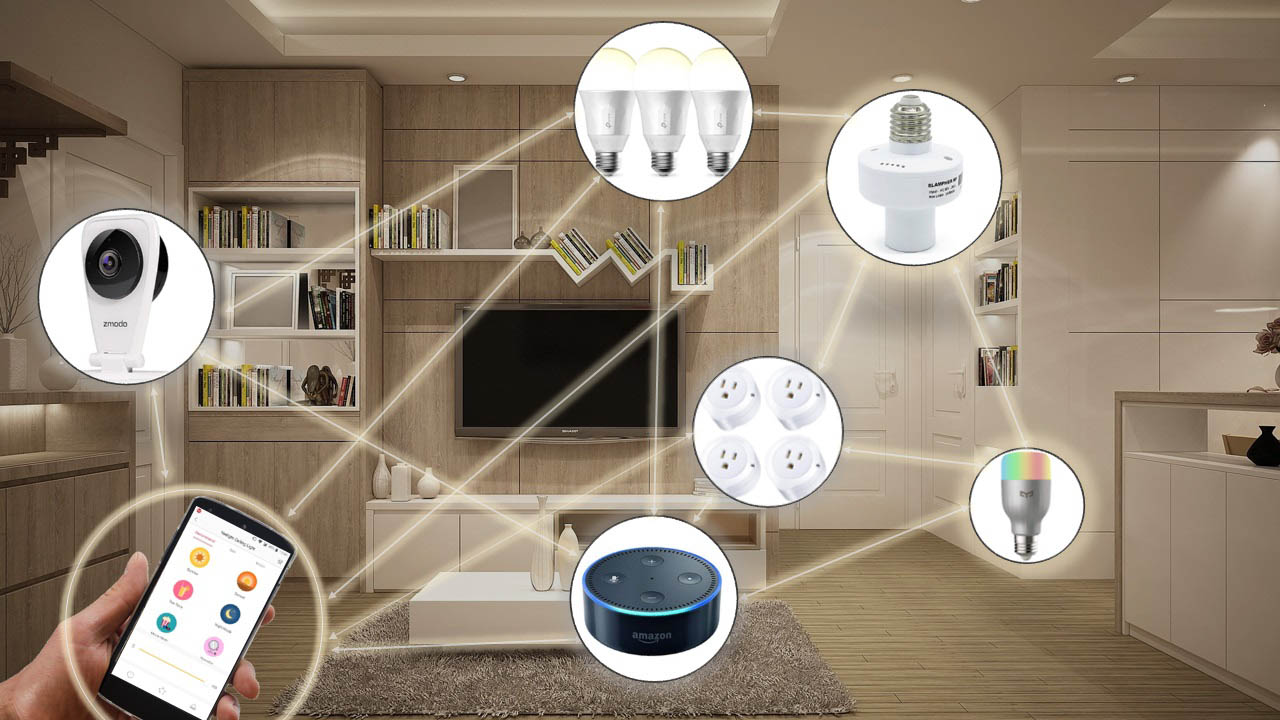
Smart homes are no longer a futuristic fantasy—they’re accessible, affordable, and easier to implement than ever before. You don’t need to spend thousands of dollars to start living in a connected home. With the right devices and some planning, you can transform your home into a smart home on a budget.
In this guide, we’ll walk you through what you need, what to prioritize, and how to get started affordably.
Why Make Your Home Smart?
Before diving in, let’s understand the key benefits of a smart home:
- Convenience: Control lights, fans, and appliances with your phone or voice.
- Energy Efficiency: Smart thermostats and lights save electricity and lower your bills.
- Security: Keep your home safer with smart cameras, sensors, and doorbells.
- Automation: Set schedules, routines, or triggers to automate everyday tasks.
Step-by-Step: Building a Smart Home on a Budget
1. Start with a Smart Assistant (Hub)
Choose a smart home ecosystem:
- Google Assistant (via Nest Hub or Google Home Mini)
- Amazon Alexa (via Echo Dot)
- Apple HomeKit (if you’re an Apple ecosystem user)
Budget Tip: You can often find Echo Dot or Google Nest Mini for under $30 during sales.
2. Smart Lighting – Easy & Effective
Smart bulbs are one of the most affordable and easiest ways to get started.
Top picks:
- Wyze Bulb
- TP-Link Kasa Smart Bulbs
- Philips Wiz (cheaper than Hue)
Features:
- Control brightness and color
- Use voice or app
- Create schedules
Price Range: $10–$15 per bulb
3. Smart Plugs – Make Any Appliance Smart
Smart plugs allow you to control fans, lamps, coffee makers, or any device plugged into them.
Popular Budget Brands:
- TP-Link Kasa Smart Plug
- Amazon Smart Plug
- Gosund Smart Plug
Price Range: $10–$15 per plug
Bonus: Great for setting timers and energy monitoring.
4. Smart Security on a Budget
You don’t need a full alarm system—start simple.
- Smart Doorbell Cameras: Wyze Doorbell, Blink Video Doorbell
- Indoor Security Cameras: Wyze Cam, Eufy Indoor Cam
- Smart Motion Sensors: Add-on sensors with app alerts
Total security setup can start from as low as $50–$100.
5. Smart Thermostats (Optional Upgrade)
If you want to save on heating/cooling bills, consider:
- Google Nest Thermostat (Basic model)
- Amazon Smart Thermostat
Budget range: $70–$100
Make sure your HVAC system is compatible.
6. Automate with Routines
Once your devices are set up, create routines:
- “Good Morning” – Turns on lights, starts coffee machine
- “Leaving Home” – Turns off all devices
- “Movie Time” – Dims lights, powers on TV
Most routines are managed through Alexa, Google Home, or Apple Home apps.
Smart Home Budget Shopping Tips
- Look for deals on Amazon Prime Day, Flipkart BBD, or local electronics fairs
- Buy combo packs (bulbs or plugs) to save more
- Use refurbished or open-box deals on trusted websites
- Check compatibility across devices before buying
Final Thoughts
Creating a smart home doesn’t require massive investment. With less than $100–$150, you can:
- Control lights and appliances
- Monitor your home remotely
- Automate routines
- Boost comfort and security
Start small, choose an ecosystem (Google, Alexa, or Apple), and gradually add devices as you go.
Beginner Budget Setup Recommendation:
| Device | Brand | Price (Approx.) |
|---|---|---|
| Echo Dot (Alexa) | Amazon | $30 |
| 2 Smart Bulbs | Wyze/Kasa | $25 |
| 2 Smart Plugs | TP-Link/Gosund | $25 |
| 1 Indoor Camera | Wyze/Eufy | $30 |
| Total | $110 |


