
How Redis Object Cache Speeds up WordPress by 300%
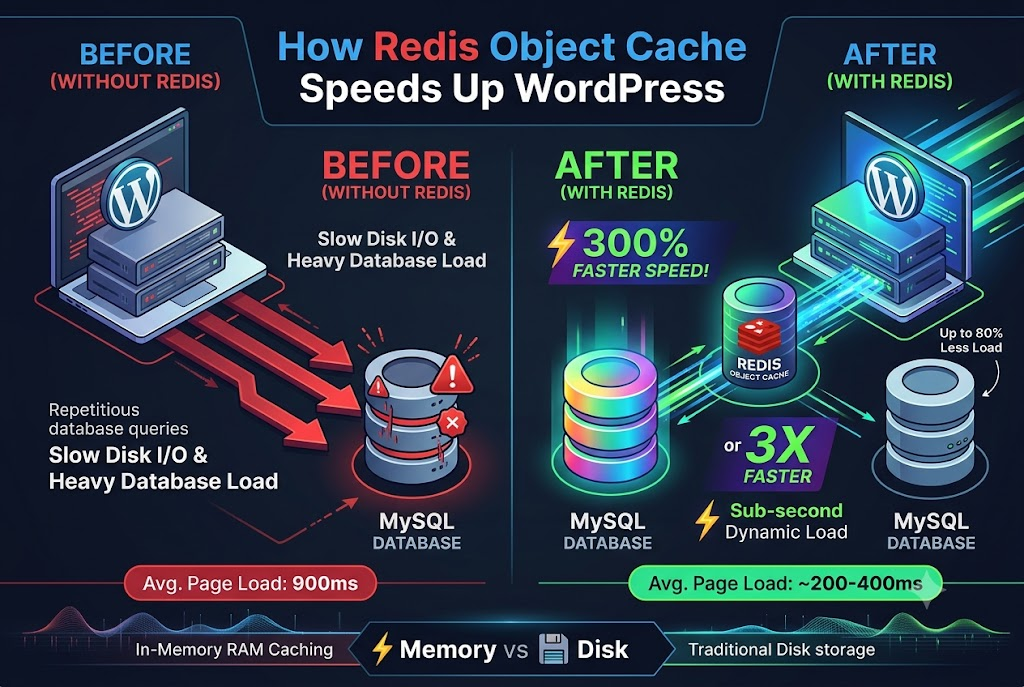
A WordPress website can get really slow as it accumulates more plugins, complex themes, database queries, and traffic. Even if the server is powerful enough to host the website, WordPress itself might be slow due to doing the same repetitive tasks.
The key idea behind Redis object caching is to store frequently-used information in a place that WordPress can access quickly. This is particularly useful for applications that perform many database operations, which can slow down the server.
But how true is the promise of three times faster WordPress? And how does it work, exactly? Let’s examine Redis caching in detail and see if it is worth using on our WordPress site.
What is Redis Object Caching?
Redis is an open-source, in-memory data structure storage system. Like many databases, it is used to store and manage data. However, Redis is often used for caching, to serve data that would otherwise be stored in a different, less performant data structure.
In a way, WordPress has built-in object caching that serves a similar purpose. That said, caching via Redis is different, as it persists across requests. By default, WordPress object caches are cleared at the end of a request.
When using Redis as a persistent object cache, WordPress will be able to access objects cached in it, instead of having to read and write them to the database.
How Redis Makes WordPress Faster
The most important aspect of how Redis caching affects WordPress performance is that it reduces the number of redundant operations that WordPress has to do between requests. There are different ways in which Redis contribues to making WordPress faster:
1. Reduces redundant database queries
As mentioned earlier, WordPress uses caching to reduce the number of database queries. The objects stored there are cleared at the end of a request. By using Redis, which does not do that, WordPress can avoid some of the redundant operations between requests.
For example, if a complex website uses many plugins that do expensive database queries or access the same objects, they can be stored in Redis. This way, WordPress will be able to use the objects from the previous request and not have to make expensive queries.
It’s worth noting that Redis cache does not eliminate the need for a database. WordPress will still need to write data to it and will need to do so even when Redis is present.
2. Reduces the load on the database
At a high level, a WordPress website consists of a web server and a database server. They communicate with each other via the queries sent from the former to the latter. Each visitor that looks at a dynamic page will cause a new request to be made to the database.
When hundreds of people are visiting a page simultaneously, that can slow down the database server considerably. It will spend a lot of time processing queries that are identical or similar to ones that were already processed.
This is where Redis comes in to reduce the load on the database server. It will store objects that are accessed frequently, reducing the number of queries that need to be processed. The database can then dedicate its resources to queries that have to go through expensive processing.
The usefulness of Redis depends heavily on the nature of a website. It will help most with dynamic websites that require many database queries, such as membership portals, e-commerce stores, and blogs.
3. Improves the time to first byte
The time to first byte (TTFB) is the time it takes for a server to receive and process an HTTP request, and for the first byte of the response to be sent back to the client.
The primary reason why TTFB might increase with Redis caching is that the time spent processing the request is not reduced. Instead, Redis shortens the time spent actually retrieving objects. Therefore, it helps in situations where the request is slow due to repeated database queries.
The effect of Redis caching on TTFB is similar to its effect on other performance metrics in that it will be helpful in certain situations and completely useless in others.
4. Helps dynamic websites
One of the most effective ways of improving performance is full-page caching. This type of caching stores an entire HTML page of a dynamic website, so that it can be served without having to run the WordPress instance again.
The limitation of this approach is that many requests on a dynamic website cannot be cached, including logged in dashboard requests, membership portals, and e-commerce store frontends.
However, those requests can be accelerated with Redis object caching, as they often require WordPress to spend time retrieving objects from the database, which can be stored in Redis.
An example of this is an e-commerce website. When serving a page, WordPress will have to get the information about the products, settings for the store, user preferences, and anything else that is needed for the page.
A persistent cache will help in these situations, as it will be able to avoid the cost of re-running expensive PHP scripts. However, it has to be set up correctly. For example, it must not provide information that was cached for one user to another user who logged in.
Where Does the 300% Performance Improvement Come From?
It is important to distinguish between the increase in throughput, or the amount of work done per unit of time, and decrease in response time, or the amount of time it takes to finish a specific task. The two are different, though related, metrics.
For example, if the time it took to generate a page went from 1200 ms to 300 ms, that is a 75% decrease in response time. It also represents a three times increase in throughput, as the same amount of pages can be generated three times faster. As such, a 300% increase in performance could be interpreted in different ways. A better approach would be to look at the specific numbers rather than qualitative claims.
How to Set Up Redis Object Caching in WordPress
Setting up Redis caching involves getting a Redis instance up and running in the server environment and configuring WordPress to use it. This process is rather involved, requires a lot of technical expertise, and often does not run smoothly.
1. Ensure the server has Redis set up
First of all, we need to make sure that the server where WordPress is hosted has Redis caching set up. Depending on the technical expertise and the server infrastructure, this step will involve different procedures.
The most common ones are installing the PhpRedis extension or another tool that will allow WordPress to connect to Redis. It is also important to make sure that the server is configured correctly, and that Redis is not publicly accessible.
Depending on the infrastructure, that step might involve restricting access to the Redis instance, setting up passwords, and making sure that the connection to it is encrypted.
A web hosting control panel can also simplify server administration by helping website owners manage their hosting environment, while Redis provides an additional caching layer to improve WordPress performance.
2. Install a plugin that supports Redis caching
The next step is to install a WordPress plugin that supports Redis caching and follow its instructions. One such plugin is Redis Object Cache , which can be installed from the official WordPress Plugin Directory.
Depending on the plugin, this step might involve specifying the exact Redis server to connect to. It is also important to note that a plugin might not handle all of the technical intricacies of Redis caching.
3. Enable persistent caching
Next, we need to enable persistent caching so that WordPress can store objects between requests. Most WordPress plugins will do that by installing an object-cache.php drop-in file.
That file will effectively make WordPress think that it is using a built-in set of caching functions, when in fact it is using Redis. Those functions will redirect WordPress to use the persistent storage.
After enabling Redis caching, it is important to verify that it has been set up correctly. It is recommended to use the information provided by the plugin or run a few commands in the command line to make sure that it is working correctly.
4. Test the website
After setting up Redis caching, it is important to test the website. In particular, make sure that pages that a user would see when logged in and out are loading correctly. This is especially important for membership portals, shopping carts, user-facing plugins, and other similar content.
If there are any issues with the setup, they most likely involve incorrect cache invalidation. In other words, the application is trying to read data that has been cached and is no longer relevant.
We should also test if the plugins that WordPress uses are compatible with Redis caching layers. In some cases, they might try to use their own caching mechanisms and interfere with Redis.
After setting up caching and verifying that it works correctly, it is possible to measure the performance improvements introduced by it. A successful implementation will have a noticeable effect, but it is important to measure it correctly.
Comparing the performance of WordPress before and after the change will highlight the differences. However, the test must be done under similar conditions, so that results are reliable.
Redis Object Cache Versus Full-Page Caching
Redis object caching and full-page caching are meant to solve similar problems but do so in a different way. The two approaches can be used together, but they also have different use cases and performance characteristics.
- Redis object cache Full-page cache
- What it stores Application objects and other data HTML pages generated by WordPress
- Main purpose Reduce repeated database operations Reduce repeated HTML generation
- Best used on Dynamic requests and database-heavy sites Pages that can be cached
- Requires PHP execution Usually still required Often bypassed on a cache hit
- Requires database operations Reduced in certain situations Can be avoided entirely
The best approach for most WordPress websites is to use both caching mechanisms. They both reduce the load on the server in different ways and can be used to achieve performance improvements that neither would be able to achieve on their own.
PHP OPcache , optimized database queries, images, and browser caching are some of the other techniques that can be used alongside caching to improve performance.
Common Redis Caching Mistakes to Avoid
Redis caching can improve performance, but there are some common mistakes that can lead to it negatively affecting the application.
Redis caching mistakes
Used too little memory for Redis
This mistake can affect performance, as the cache would not be able to store much data. It will not be useful for applications that require much caching.
Did not account for stale data
Cached data needs to be invalidated, to make room for new data and to ensure that it is relevant. Failure to do so will result in incorrect information being served.
Cached too much unnecessary data
Not all objects are good candidates for being stored in a Redis cache. Large values, extra operations, and high serialization overhead can hurt performance more than help it.
Did not monitor the cache
Monitoring tools can highlight issues with the cache. A high hit rate is desirable, but it is not the only metric that matters.
Did not consider backup options for Redis
Redis cache should not be used for data that cannot be easily restored from another source. It is essential to make sure that data stored in it is easily available elsewhere and that Redis is backed up.
Conclusion
Redis caching layer can significantly improve the speed of a WordPress website by reducing the number of database operations that it has to perform. It helps most on dynamic websites and can reduce the load on the database and the overall server.
That said, a three-times performance gain cannot be guaranteed, as it depends on the application and its current performance. It is a good idea to test it on the target application to see if it will have any effect or not.
Redis caching is most useful when combined with other performance improvement techniques, such as full-page caching, optimized code, and database tuning.


