
Approximate pages: 0
Words Per Page Counting Tool to Pages Calculator
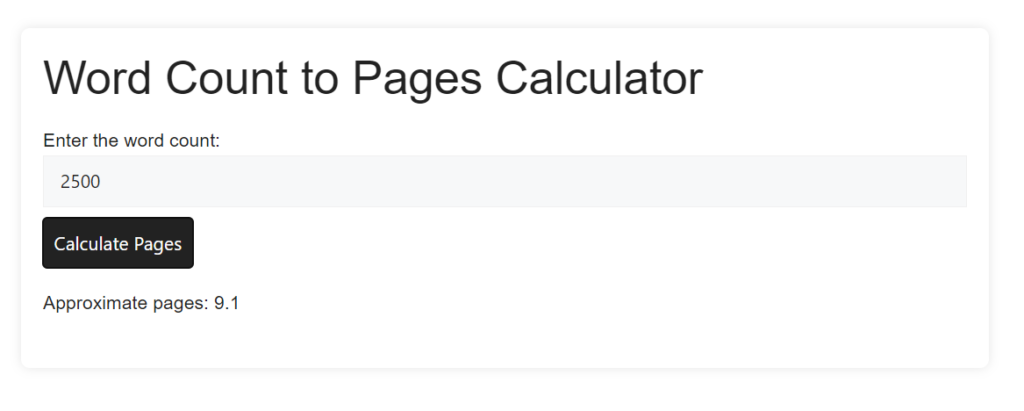
Words Per Page Counting Tool is designed to help users estimate the number of pages for a given word count, considering a predefined set of data. The calculations are based on interpolation between provided data points, assuming a continuous flow of text with no line or paragraph spacing.
How to Use Words Per Page Counting Tool:
- Enter Word Count: Input the desired word count into the designated field.
- Calculate Pages: Click the “Calculate Pages” button to estimate the number of pages.
- View Results: The tool will display the approximate number of pages for the entered word count.
Assumptions for Words Per Page Counting Tool:
The tool employs an interpolation method based on a predefined dataset. The dataset includes specific word counts and their corresponding approximate page estimates:
- 1: 0.004
- 2: 0.008
- 3: 0.012
- 4: 0.016
- 5: 0.020
- 10: 0.040
- 20: 0.080
- 50: 0.200
- 100: 0.400
- 150: 0.600
- 200: 0.800
- 250: 1.000
- 300: 1.200
- 400: 1.600
- 500: 1.800
- 750: 2.700
- 1000: 3.700
- 1250: 4.600
- 1500: 5.500
- 2000: 7.300
- 2500: 9.100
- 3000: 11.0
- 4000: 14.6
- 5000: 18.3
- 7500: 27.4
- 10000: 36.5
Interpolation for Words Per Page Counting Tool:
For word counts not explicitly listed in the dataset, the tool performs interpolation. It finds the nearest lower and higher data points and calculates an approximate page value based on the proximity of the entered word count to these points.
Note:
Results are approximations and may vary based on factors like text formatting, font size, and additional elements like headings.
Tip – Bookmark Online Word Editor Page for Easy Access
Look at our other tools:
- Twitter Character Count Checker
- Facebook Post Character Count Checker
- Instagram Caption Character Count Checker
- LinkedIn Post Character Count Checker
- Pinterest Pin Description Character Count Checker
- Reddit Character Count Checker
- WhatsApp Character Count Checker
- Medium Article Character Count Checker
For more info – Contact Us | About Us