
1. Steps to Use the Hours Calculator:
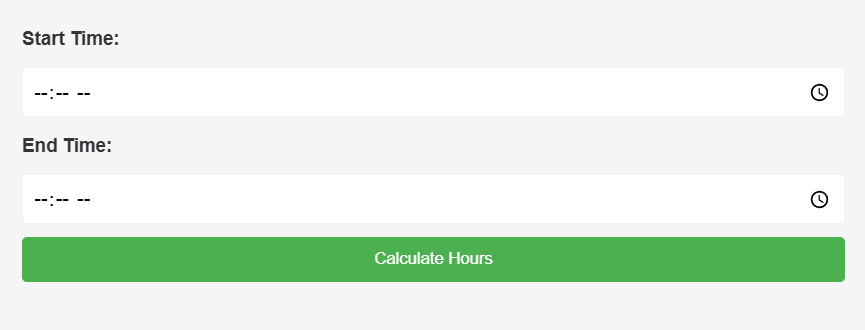
- Enter Start Time: Input the start time using the time picker provided for the “Start Time” field.
- Enter End Time: Similarly, input the end time using the time picker for the “End Time” field.
- Calculate Hours: Click the “Calculate Hours” button to compute the total hours between the start and end times.
- View Result: The calculator will display the total hours below the button.
2. Information about the Hours Calculator:
The Hours Calculator is a simple tool designed to calculate the total number of hours between two given times. It takes into account the start and end times provided by the user and computes the time difference in hours.
3. Benefits of Using the Hours Calculator:
- Efficiency: Quickly determine the total hours worked or elapsed between two time points.
- Accuracy: Obtain precise results for time differences, aiding in time management and scheduling.
- Convenience: User-friendly interface with intuitive time input fields for hassle-free calculations.
- Versatility: Useful for various applications, including calculating work hours, duration of events, or time elapsed for tasks.
4. Frequently Asked Questions (FAQ):
- Q: Can I input times in different formats, such as 24-hour or AM/PM?A: Yes, the calculator accepts times in both 24-hour format (e.g., 13:30) and AM/PM format (e.g., 1:30 PM).
- Q: What happens if I input the end time earlier than the start time?A: The calculator will still provide a result, but the total hours will be displayed as negative, indicating a backward time difference.
- Q: Is there a limit to the time range supported by the calculator?A: The Hours Calculator can handle a wide range of time values, from midnight to 11:59 PM, allowing for calculations spanning a full day. However, extremely large time differences may be subject to limitations imposed by JavaScript.
- Q: Can I use this tool to calculate hours across multiple days?A: No, this calculator calculates the time difference within a single day. If your calculation spans multiple days, you may need to consider a more advanced time tracking tool.
More